
How to Play Lagos Life: Beginner's Guide
How to play Lagos Life: open the official site in your browser, sign up or continue as a guest, and what to do first — no download, free to play.
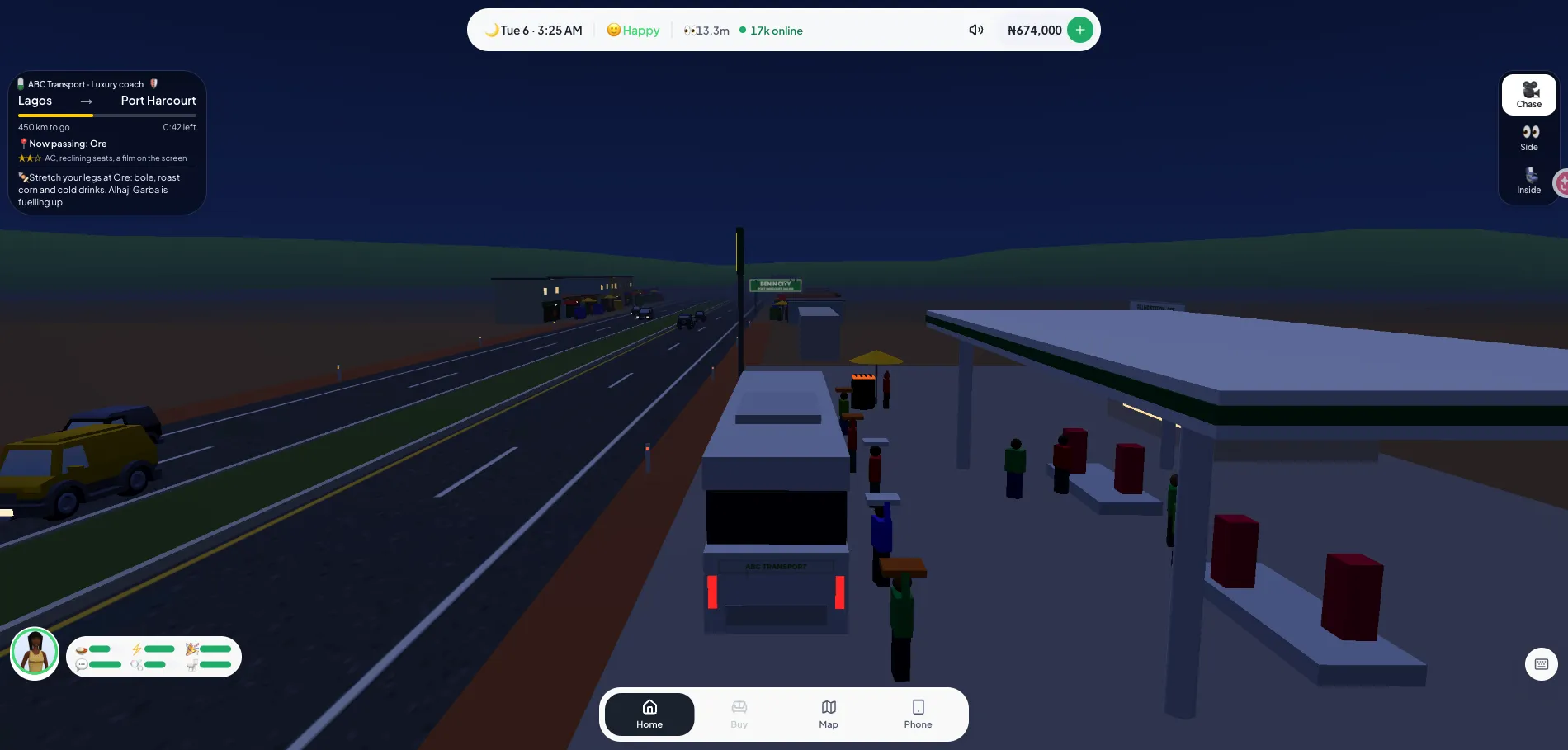
Lagos Life plays directly in your browser — there is nothing to download and nothing to pay to get started. This guide walks you through opening the game, setting up an account, and the first things worth doing before you spend or chat.
What you need before starting
All you need is a browser on a desktop or a phone. The game is free and runs on the official website, so avoid third-party “download” pages — there is no official client to install (see the app guide).
- A modern browser (Chrome, Safari, Firefox, or Edge)
- An email address if you want a persistent save
- That is it — no app, no launcher, no payment
Step 1: open the official game
Go to the official Lagos Life website. It is the only place to play the real game; everything else you see in search results is social media posts or fan sites like this wiki. Bookmark the official address so you do not land on a copycat.
Step 2: create your account (or start as a guest)
Need help with the official address or signing in? See the guide to the official site and account setup.
The game asks for an email, a password, and a display name. Registration ties your house, money, and progress to your account so you can return later. If you just want to look around first, a guest option lets you jump in without signing up — register afterward to keep what you earn.
Step 2b: build your character and draw your origin
Before you reach the city, the game walks you through a short setup: your look, your traits, your dream, then your origin and first home.
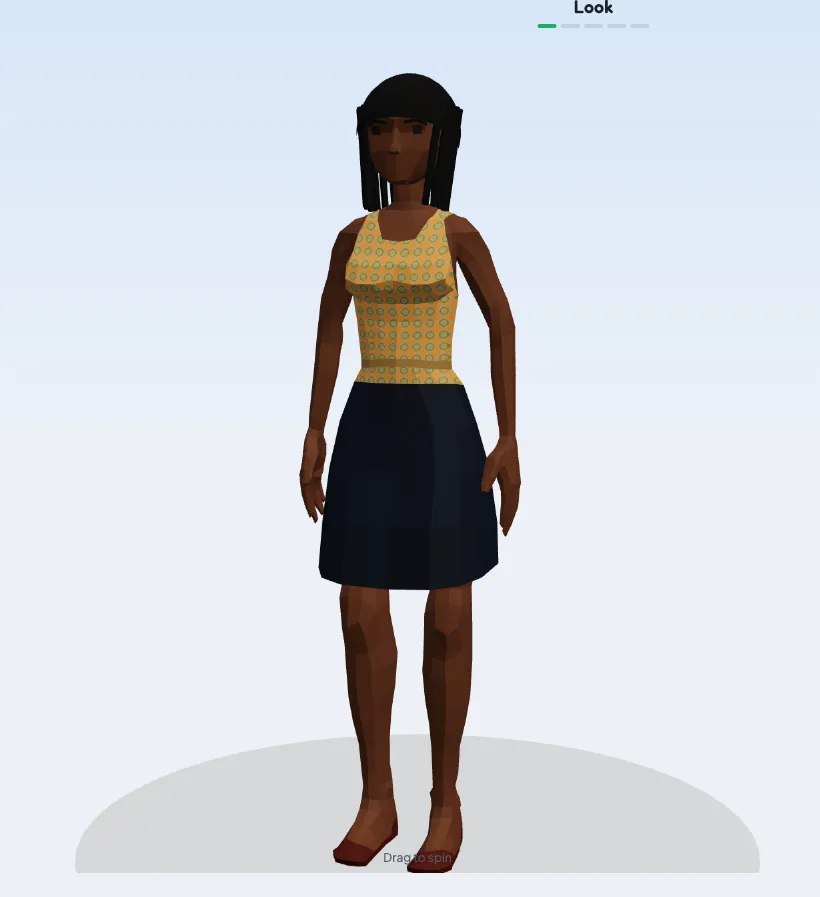
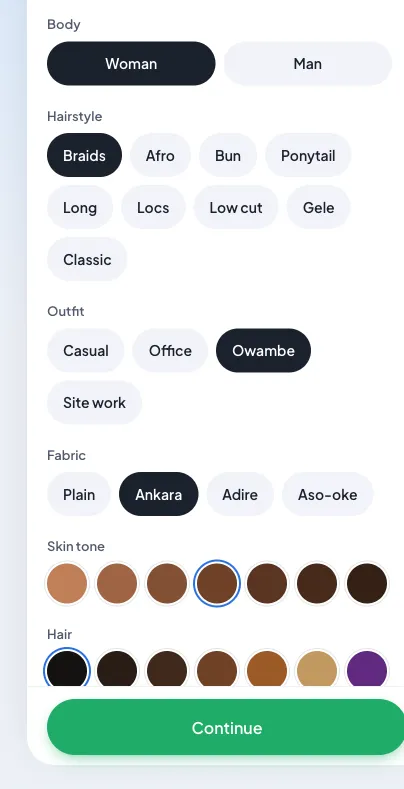
- Look. Choose Woman or Man, a hairstyle (Braids, Afro, Bun, Ponytail, Long, Locs, Low cut, Gele or Classic), an outfit (Casual, Office, Owambe or Site work), a fabric (Plain, Ankara, Adire or Aso-oke), plus skin tone and hair colour.
- Traits. Pick from traits such as Hustler, Foodie, Owambe Spirit, Gym Rat, Smooth Talker, Lazy Bone, Clean Pikin, Night Crawler, Tech Bro or Sis, and Musical. Each speeds up a skill or changes how fast a need drops.
- Origin. The game then draws your origin, Nepo Baby or Lapo Baby, and locks it to your account. See nepo vs lapo for what each gets.
- First home. A Lapo Baby chooses between a UNILAG hall, Mushin and Yaba; a Nepo Baby moves into a Lekki flat. Rent is collected every Saturday, and the housing guide lists every home.
The game runs on a real clock
Time in Lagos Life is real time. We measured it: 35 real minutes passed as 36 game minutes, so one game minute is one real minute, and the clock in the top bar shows the day and time. The clock stops while you are offline. Jobs start at fixed times, places open and close on that clock, and rent comes due on Saturday at 9 AM. Plan your session around the shifts you want to work. The six need meters at the bottom left (see needs, skills and traits) drop as you play, so eat, sleep and have fun before work.
Step 3: learn the map and the rhythm
The city is a map of Lagos neighborhoods, each place with its own purpose: spots to eat, places to work, people to meet. Lagos Life has three cities (Lagos, Port Harcourt and Abuja), and every place has opening hours. Our places and opening hours guide lists every one.
Step 4: earn your first naira
Money in Lagos Life is in-game naira, and the amounts get big fast. Jobs and activities around the city pay out; how much you can carry and where you earn it is covered in our money guide. One rule to internalize early: game naira has no real-world value and cannot be cashed out — the only real-money element is an optional official wallet top-up.
First-session checklist
- Open the official site in your browser
- Register an account (or try guest mode first)
- Walk the map and read place names — they reference real Lagos spots
- Take a job or activity and earn your first naira
- Come back to this wiki for the systems: governor election, sea plots, and the 15 homes
What is on your phone
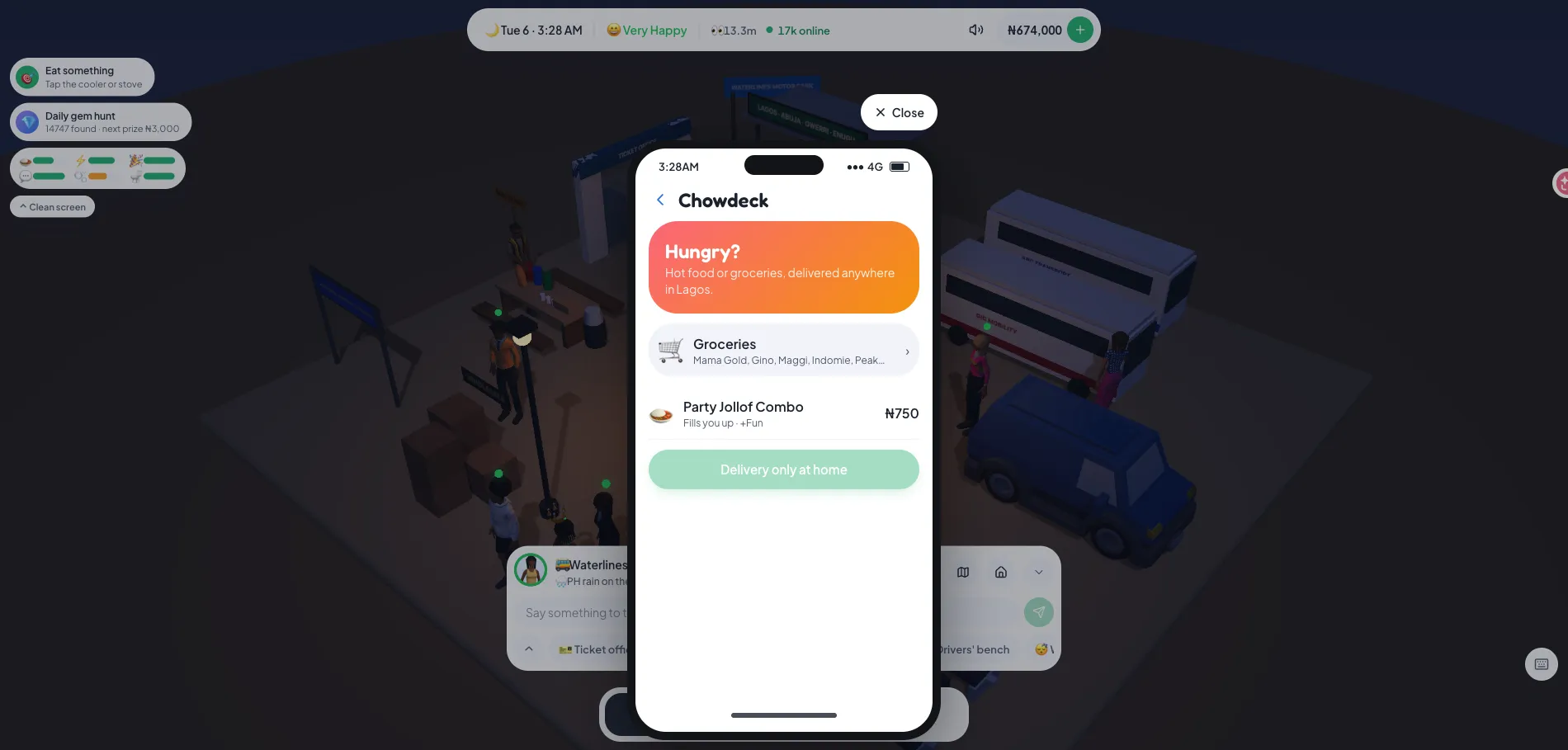
Your in-game phone has the apps you will use most. Tap the phone at the bottom of the screen to open them:
- Jobs to apply for a career (jobs and salaries).
- Houses to see and change homes (houses).
- Bank for your balance, weekly tax and bills, and the Top up wallet button (prices and tax).
- Invest to buy businesses and land (businesses, land).
- Contacts and Messages to find players by @username and chat (friends and messages).
- Chowdeck for food delivery to your home, and the Lagos Boutique for clothes.
Keep learning
- How needs, skills and traits work: needs, skills and traits
- Where to go and what it costs: places and opening hours, starting with Amala Shitta
- Short tasks that teach you the map: daily goals
- Who to chat with: the NPCs
- Fill your home: furniture and prices
Common first-day mistakes
Do not pay anyone for an account — accounts are free. Do not trust any site that claims to “convert” your in-game naira to real money; the official terms forbid it and such offers are scams. And do not treat the game’s elections, politics, or money as anything other than play: it is a game, with rules the developers actually enforce.